github actions으로 jekyll 수동 배포
github actions로 배포하게 된 이유
jekyll 에서는 카테고리나 태그 같은 기능을 사용자가 직접 플러그인을 생성해서 사용할 수 있게 하는데
github-pages 로 자동 배포하게 될 경우 커스텀 플러그인을 사용할 수 없게 된다.
아래 jekyll 공식 docs에서 github actions과 plugin에 관련된 설명이다.
When building a Jekyll site with GitHub Pages, the standard flow is restricted for security
reasons and to make it simpler to get a site setup. For more control over the build and
still host the site with GitHub Pages you can use GitHub Actions.

Plugins — You can use any Jekyll plugins irrespective of them being on the supported
versions list, even *.rb files placed in the _plugins directory of your site.
이로 인해 category 플러그인 생성 후 실제 배포를 하면 /tag/*, /category/* 가 404 not found 페이지로 이동했다.
(아래와 같이 _plugins 에서 tags는 가져왔던 테마에 원래 있었고 category는 새로 생성한 상태였다.)
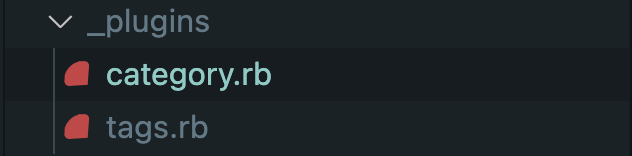
구글링을 통해 현재 상태에서 해결할 수 있는 방법을 찾았으나 실패했다.
github actions에서 새 workflow 생성
workflow 파일의 경우 github actions 에서 제공하는 것도 있고 marketplace에서 찾을 수도 있는데
나는 아래 github에 예시와 jekyll을 수동 배포한 다른 블로그 글들을 보고 참고해서 작성했다.
https://github.com/helaili/jekyll-action
workflow 배포하면서 실패했던 원인들을 정리해보기
name: Build and deploy Jekyll site to GitHub Pages

on:
  push:
    branches:
      - master

jobs:
  github-pages:
    runs-on: ubuntu-latest
    steps:
      - uses: actions/checkout@v2
      - uses: actions/cache@v2
        with:
          path: vendor/bundle
          key: ${{ runner.os }}-gems-${{ hashFiles('**/Gemfile') }}
          restore-keys: |
            ${{ runner.os }}-gems-
      - uses: helaili/jekyll-action@2.0.5    # Choose any one of the Jekyll Actions
        with:
          target_branch: 'gh-pages'
        env:                                # Some relative inputs of your action
          JEKYLL_PAT: ${{ secrets.JEKYLL_PAT }}
🔗 target_branch 를 gh_pages 로 지정해주어야 _site 디렉토리 안에 정적파일들이 해당 브런치에 생성된다.
🔗 workflow에 secrtes 지정할 때 key, value값 주의하기
PAT 추가해주는 부분에 key값을 어떻게 입력해야 될지 확실하지 않아서 이 부분에서 여러번 배포를 실패했다.
PAT 키 생성과 input입력은 아래 과정과 같이 해결했다.
레파지토리에서 settings 탭으로 이동한다.

Security 탭에서 Action 탭으로 이동한다.
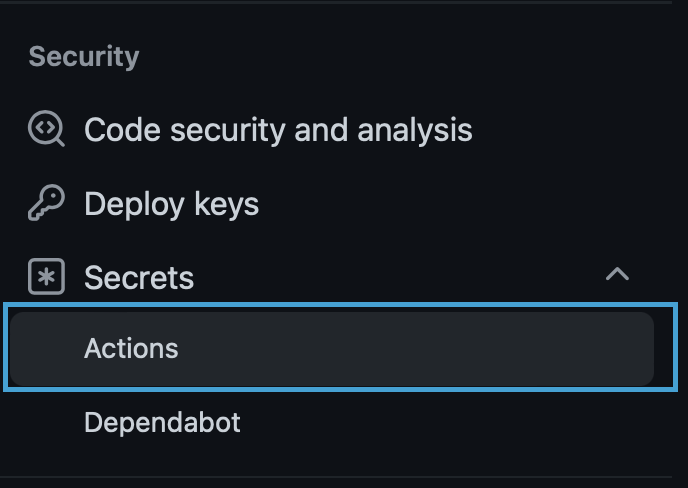
Repository secrets에 토큰 값을 추가해준다.
이 토큰 값은 github 개인 설정 페이지에서 Developer settings - Personal access tokens 에서 생성 해준 값을 사용한다.

workflow file에 Repository secrets input으로 key값과 value값은 각각
JEKYLL_PAT,${{ secrets.JEKYLL_PAT }}으로 넣어준다. secrets 명은 임의로 생성한다.
아래는 github actions workflow security guide 관련 문서인데 secrets 생성하는 규칙이 나와있다.
https://docs.github.com/en/actions/security-guides/encrypted-secrets
🔗 배포 소스 파일의 브랜치 설정을 gh-pages 로 지정하기
레파지토리의 settings 탭에서
Pages페이지로 이동한다.
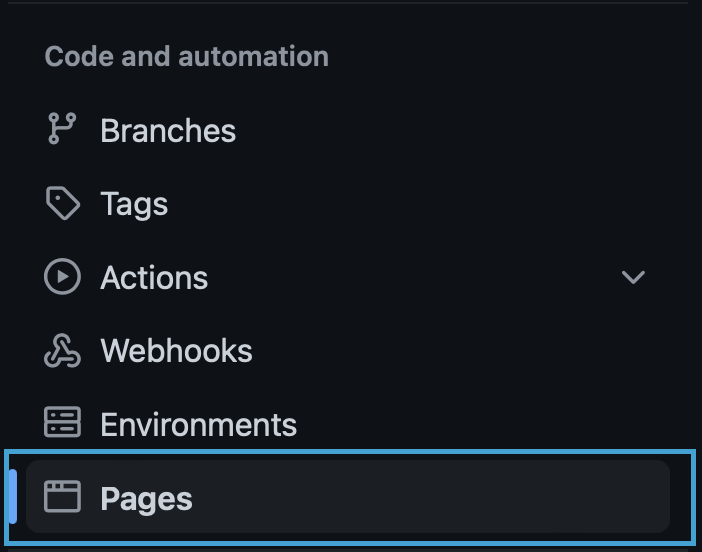
Build and deployment 에서 branch 지정을
master에서gh-pages로 변경해준다.
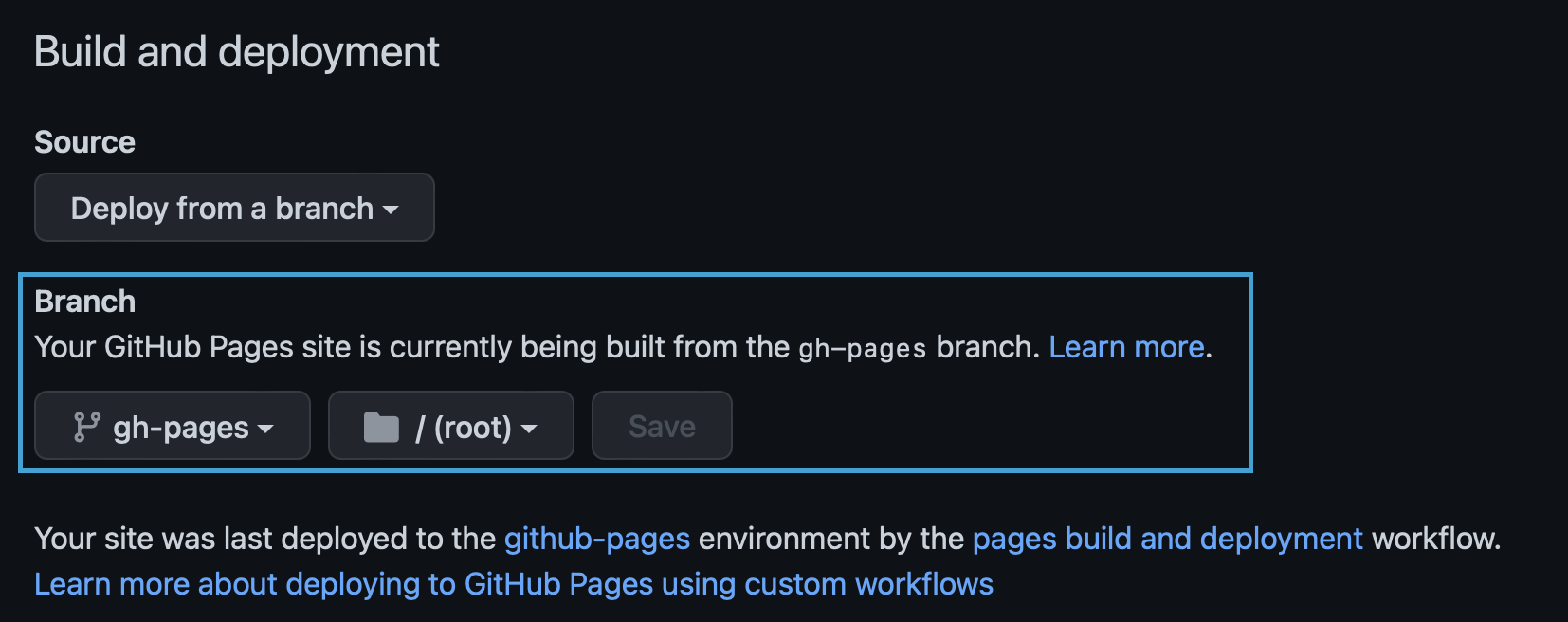
아래 블로그 글에 해당 내용이 잘 나와 있다.
https://bitbra.in/2021/10/03/host-your-own-blog-for-free-with-custom-domain.html
추가로 더 알아봐야 할 내용들
github-pages에서 자동배포 되는 action이 수동으로 생성한 action과 중복해서 실행되고 있는데
수동으로 생성한 workflow만 실행되게 할 수 있을지 알아보려고 한다.
github actions 참고 자료
https://docs.github.com/en/actions
https://jekyllrb.com/docs/continuous-integration/github-actions/#advantages-of-using-actions